
Introduction: Why Astra Theme Still Shines Bright in 2025
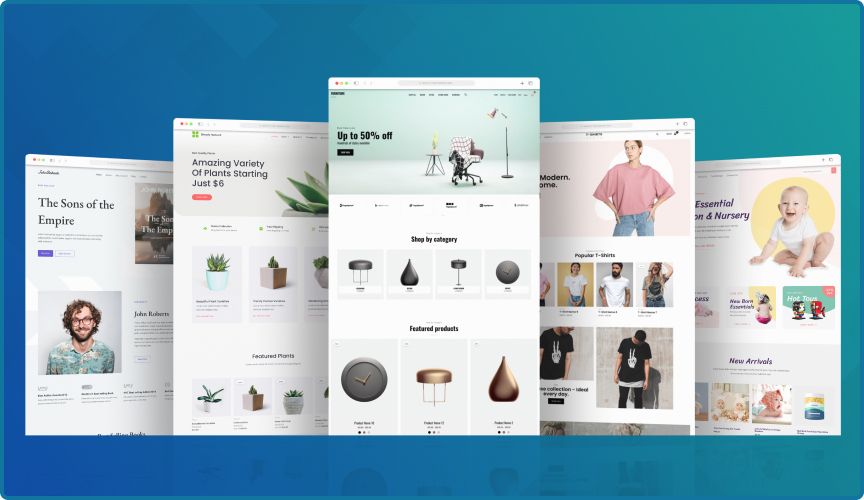
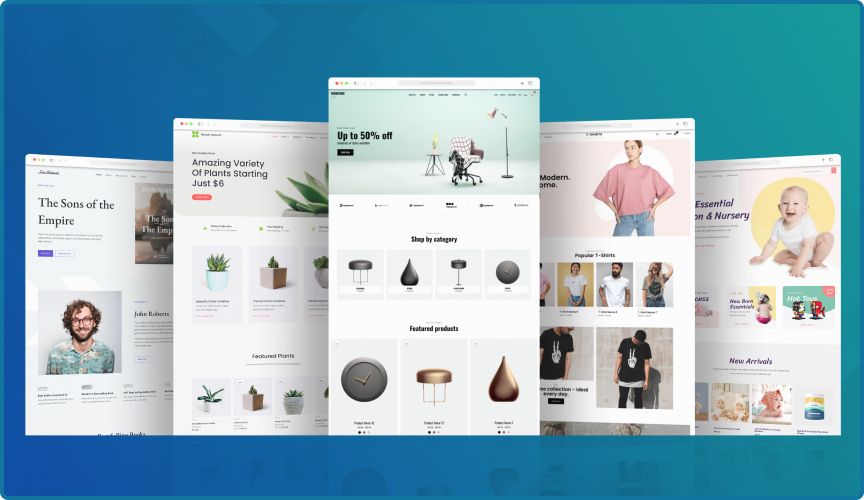
Astra has become a go-to theme for WordPress users seeking flexibility, performance, and ease of use. This lightweight theme works seamlessly with popular page builders, making it an ideal choice for creating custom layouts without sacrificing speed or functionality
Key Insights: Astra’s Strengths (Beyond the Basics)
1. Performance That Speeds Ahead
Astra is engineered for speed. With its lightweight core (often under 50 KB), elimination of jQuery in favor of vanilla JavaScript, and built-in tools like AMP support and lazy loading, sites often load in under 0.5 seconds DemandSageWPRiderswpallimport.com. Real-world tests show performance grades above 80 with load times that defy expectations.
2. Skyrocketing Popularity & Community Trust
Astra made history as the first non-default theme on WordPress.org to surpass 1 million active installs Astra. Today, over 2 million live sites run on it, making it the third most popular theme globally Crocoblock. BuiltWith also places Astra at the top of usage charts in the U.S. and second globally BuiltWith. It’s downloaded more than 11 million times, with a stellar “enthusiasm gap” (negative feedback ratio) of just 2%
What is Astra Theme?
Astra theme is a popular WordPress theme developed by Brainstorm Force. It’s designed to be lightweight, fast, and highly customizable, making it an ideal choice for bloggers, businesses, and e-commerce sites. Astra theme is built with a focus on performance, accessibility, and user experience, ensuring that your website loads quickly and provides a seamless experience for your visitors.
Key Features of Astra Theme
Astra boasts several key features that set it apart from other themes. Firstly, its lightweight design and optimization for speed ensure that websites load quickly, providing a smooth user experience. Additionally, Astra is compatible with popular page builders like Elementor, Beaver Builder, and Brizy, giving users the freedom to create custom layouts.
Furthermore, Astra offers a wide range of customization options, including typography, colors, and layout settings. This allows users to tailor their website’s design to their needs, creating a unique and professional-looking site. Moreover, Astra’s responsive design ensures that websites look great on all devices, from desktops to mobile phones.
Benefits of Using Astra Theme
Using Astra theme offers several benefits. For instance, its lightweight design and optimization for speed improve website performance, leading to better user experience and search engine rankings. Moreover, Astra’s compatibility with page builders and extensive customization options give users the flexibility to create a website that meets their needs.
Astra is also designed to be user-friendly, making it easy to set up and customize, even for users without extensive coding knowledge. With Astra, users can create a high-performance website without sacrificing design or functionality.
Benefits of Using Astra Theme
Enhanced User Experience: Astra theme’s responsive design and smooth navigation ensure a seamless experience for your visitors, reducing bounce rates and improving conversion rates.
Improved Website Performance: Astra theme’s lightweight design ensures fast page loads, improving user experience and search engine rankings.
Increased Customization Options: Astra’s extensive customization options allow you to tailor your website to your brand, improving brand recognition and user engagement.

Personal Take: My Astra Experienc
When I first tested Astra, I was struck by how swiftly I could launch a polished site. I built a small business page using Astra free, paired with Elementor and a starter template. It saved me at least a couple of hours compared to past projects. But upgrading to Astra Pro? That unlocked intuitive headers, megamenus, and better blog layout control—without writing a lick of code.
The real joy: tweaking a design on mobile, seeing changes instantly, and knowing I wasn’t sacrificing speed. Astra helped me strike a balance between design finesse and performance. That’s not easy to achieve, but Astra nails it.
Astra vs. Other Popular WordPress Themes
When considering a theme, it’s natural to compare Astra against its closest rivals—like GeneratePress, OceanWP, and Kadence. Each has strengths, but Astra shines for its balance of speed, customization, and ecosystem support.
| Feature/Theme | Astra | GeneratePress | OceanWP | Kadence |
|---|---|---|---|---|
| Performance | Super lightweight (~50KB core, no jQuery) | Lightweight, slightly smaller footprint than Astra | Heavier, needs optimization | Similar to Astra, optimized core |
| Ease of Use | Beginner-friendly, live Customizer & Starter Templates | Clean, but less starter sites than Astra | Lots of options, but can feel cluttered | Highly intuitive, growing template library |
| Free Version | Strong, usable without Pro | Usable, but Pro often needed for features | Feature-rich free version | Generous free version |
| Pro Upgrade | Unlocks header/footer builder, WooCommerce controls, blog layouts | Advanced layout controls, hooks, WooCommerce support | Premium extensions needed (can get pricey) | Pro unlocks design library, global color controls |
| Page Builder Support | Works seamlessly with Elementor, Beaver, Gutenberg, Spectra | Strong support, but slightly less integration focus | Works with Elementor but may need tweaks | Very Gutenberg-friendly, Elementor support strong |
| WooCommerce Support | Deep integration, optimized for fast shops | Solid, but less advanced than Astra Pro | Very feature-rich WooCommerce options | Strong WooCommerce features, shop templates |
| Community & Ecosystem | 2M+ users, large community, frequent updates | Large dev following, stable | Popular but smaller than Astra’s | Growing quickly, active support base |
| Best For | Users who want speed + customization + templates | Developers who love clean, minimal bases | Shop owners needing WooCommerce-heavy sites | Beginners or small businesses wanting balance |
Frequently Asked Questions
1 Is Astra theme free?
Yes, Astra theme offers a free version that provides basic features and functionality. However, users can upgrade to the premium version for additional features and support.
2 What is Astra theme starter template?
Astra starter templates are pre-designed templates that can be used to quickly set up a website. These templates are designed to work seamlessly with Astra theme and provide a solid foundation for building a website
3 What are Astra theme templates?
Astra theme templates are pre-designed layouts that can be used to create specific types of websites, such as blogs, portfolios, or e-commerce sites. These templates can be customized to meet the user’s needs and provide a professional-looking design.
Conclusion: Is Astra Theme the Right Pick?
Absolutely—whether you’re:
- A pro developer wanting a fast, customizable base.
- A blogger/entrepreneur building your brand without learning code.
- A designer needing clean, flexible layout tools.
- An e-commerce entrepreneur who values speed and seamless shop controls.
The free version is powerful in its own right, but investing in Astra Pro unlocks premium control and efficiency that can transform your workflow.

Final Thoughts & Your Next Move
- If you’re curious, explore a starter template with the free version and note how fast your site loads.
- Pro tip: Focus on building one page functionally—like a homepage or product page—rather than tweaking dozens of theme options.
- Want help choosing between layouts, setting up headers, or optimizing for mobile? Let me know—I’ve got your back!
Call to Action:
Have you tried Astra yet? Share your experience—or ask me for layout tips, theme setup help, or design ideas. If you’re ready, consider subscribing or exploring Astra Pro’s advanced features to elevate your site faster and smarter.